Exporting a file


|
Exporting a file |
|
|
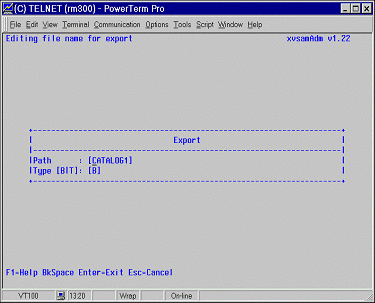
In addition to the import of a data set, it is also possible to execute the reverse operation, that is to say to export an XVSAM file as a binary or text file. This feature can be invoked by selecting - 7 - EXPORT on the main menu. For this operation too, it is necessary to have previously selected the name of the cluster you intend to process. You are required to specify the full path name into the PATH field. It corresponds to the directory where the file to be exported is to be created. The TYPE field serves to specify how data should be exported. The following two types are possible :
As soon as the <ENTER> key is pressed, data will be exported. Once the process is finished, the xvsamAdm Main Menu panel is displayed and the message line updated with the following information: Message: Export read[159] written[159] --------------------------- This message line informs now about the number of records contained in the XVSAM file to be exported and about the number of records which have been effectively written on the output file. The following function keys are available:
|