Creation of an alternate index


|
Creation of an alternate index |
|
|
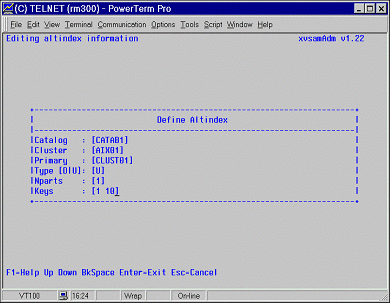
If you want to create an alternate index for an existing base cluster, you should enter 2 in the main menu. The EDITING ALTINDEX INFORMATION map, as shown in the next figure, will then be displayed.
On this screen, the following information should be entered :
D duplicate keys are allowed; it means that it is possible to have different primary keys associated with the same alternate index U unique; only one primary key may be associated with the alternate index
[offset keylength offset keylength ...] offset is the displacement of the key from the beginning of the record and relative to zero keylength is the length of the key in bytes. For VSAM files only one pair of values is allowed, while for LEASY files several pairs can be specified. The following function keys are available : PF1 to invoke the on-line help Cursor keys to move among fields Escape key to abort the definition of the cluster and to return to the main menu Enter key to activate the definition |