Runtime Configuration


|
Runtime Configuration |
|
|
XFRAME must be configured to make a correct use of the third party necessary to run the applications. The configuration allows to choose:
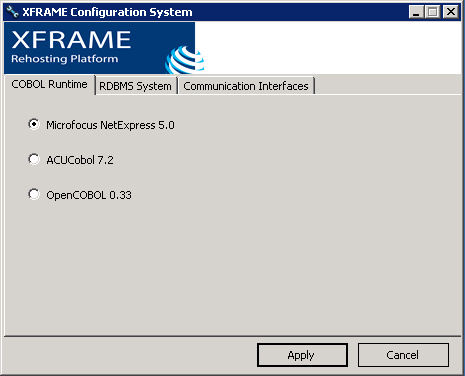
Before to re-configure the XFRAME environment, you must be aware of running applications: shut down all XCICS regions, all batch programs (using XFRAME), and, more generally, all processes that make use of the XFRAME components you are going to re-configure. The XFRAME Configuration System is automatically start up at the end of the setup procedure, and it may be restarted at any time you require to change the existing configuration. To start it click the item "XFRAME Configuration System" in the XFRAME program group, or run from command line "xframecfgw.exe". To configure XFRAME, select the desired options on the XFRAME Configuration System windows On the COBOL Runtime tab you may choose which COBOL system will be used by XFRAME components:
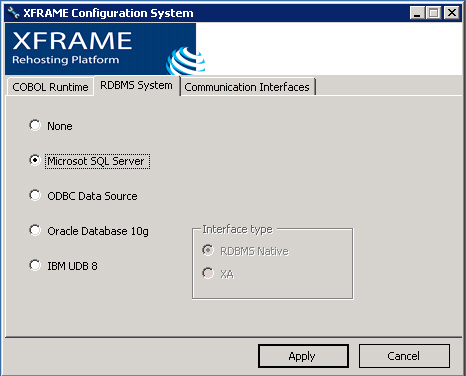
On the RDBM System tab you may choose which Database system will be used by XFRAME components, and, for Oracle and UDB, the communication interface:
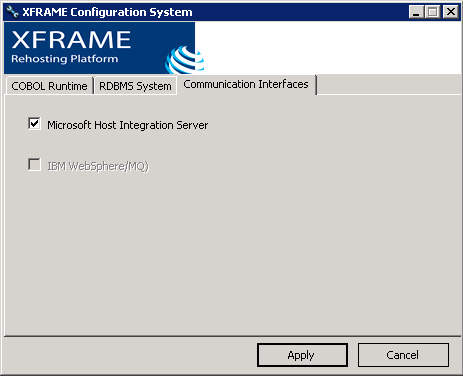
On the Communication Interfaces tab, you may choose which special interfaces will be used to communicate with specific systems:
Microsoft Host Integration server must be used when SNA communication is required between local system and remote mainframes. Once the desired settings have been defined, press "Apply" to apply the selected settings. |