Configuration for SNA (Windows)


|
Configuration for SNA (Windows) |
|
|
The setup and configuration of the inter system communication services over the SNA protocol, requires the following steps:
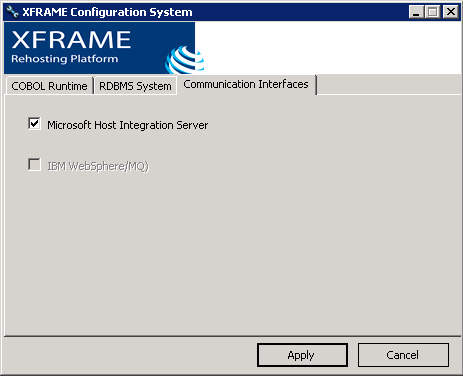
Microsoft Host Integration Server setup First of all, the Microsoft Host Integration server must be installed on the system and correctly configured. Please refer to your Microsoft Host Integration Server documentation for further information. XFRAME setup When the Microsoft Host Integration Server is installed, the XFRAME runtime must be configured to support it: at setup time, or using the XFRAME Configuration System. In the "Comunication Interfaces" tab, enable the "Microsoft Host Integration Server" check box, as shown in the following picture, and apply the configuration
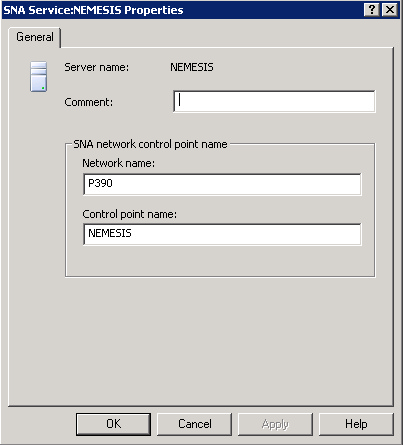
SNA node configuration SNA node must be configured and an active link to the partner system must be created. Of course, this link requires a correspondent definition in the VTAM of the partner system. Please refer to your Microsoft Host Integration server documentation to configure the node and the link, and refer to the corresponding documentation to define the node in the partner system (VTAM documentation for mainframes and SNA server product for other UNIX systems). Furthermore at least one LU to be used by the XCICS region must be defined. This LU should normally have the same name as the XCICS application name. XCICS identifies the LU by its alias therefore remember to correctly defined the alias too. The easiest way to configure the LU is to provide the same 8 byte identifer to the LU, to its alias and to the XCICS application name. Finally an alias identifying the remote partner must be added. XCICS configuration First of all, the LU alias for incoming and outgoing connections must be declared in xcics.conf. By default XCICS uses an LU alias equal to its name. Alternatively it is possible to override this behaviour specifing the default_inbound_lu and default_outbound_lu in xcics.conf. Then one or more connection entries (CCT) must defined using the define connection directive. A connection identifies the partner system, specifying the SYSID used in the application and the remote LU alias. Finally, sessions to serve incoming requestes must be defined, using the define sessions directive. Example configuration Following some example configuration describing a connection between an XCICS TS region and an IBM CICS TS on SNA over ethernet. Windows side In this example we defined: A) SNA Service, providing the SNA network and the CP names
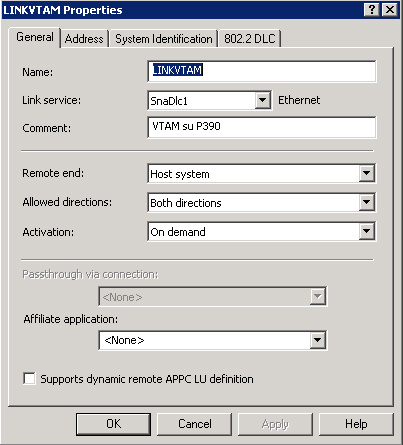
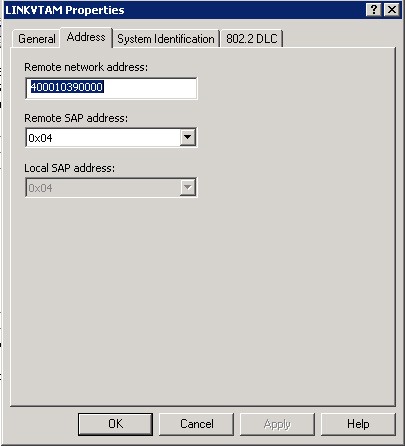
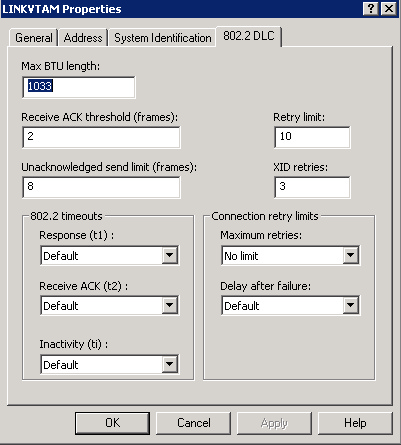
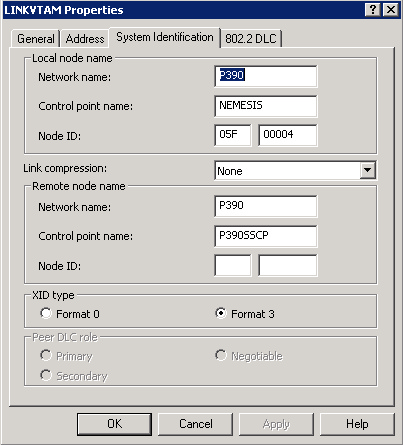
B) a connection with the remote mainframe system, named LINKVTAM, providing all the information necessary to the communication:
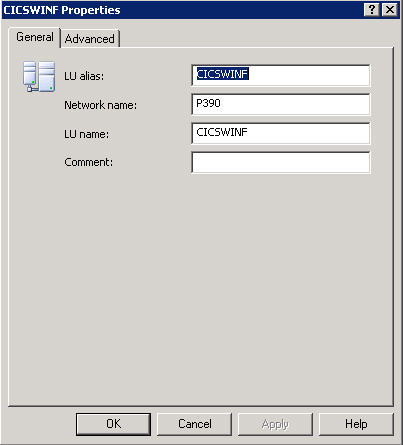
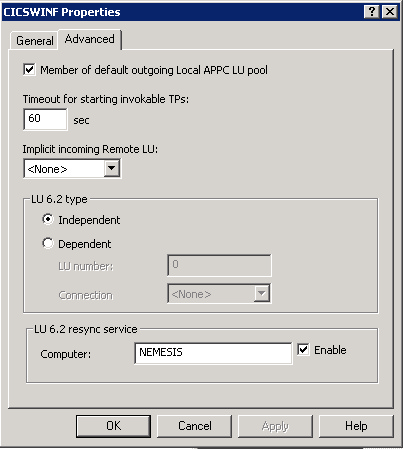
C) Local APPC LU, named CICSWINF, as the local XCICS/TS region we are going to use, supplying:
When Synclevel 2 is required during APPC processing, the LU6.2 resync service must be set to the local computer and enabled.
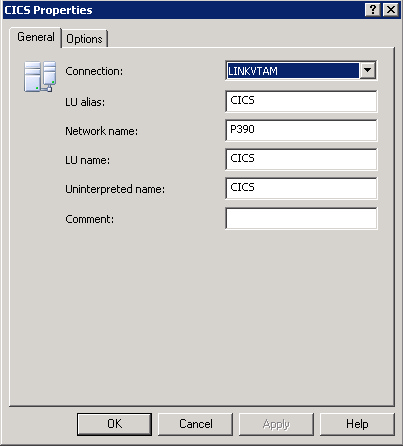
D) Remote APPC LU, corresponding to the remote region on the mainframe:
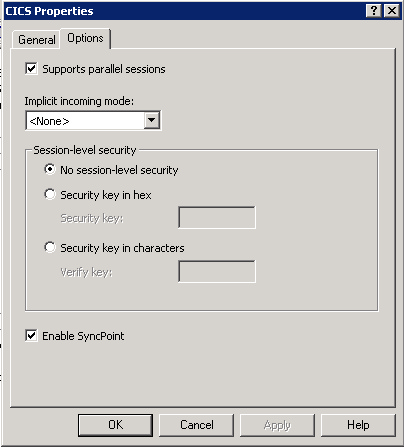
Syncpoint support and parallel session must be enabled:
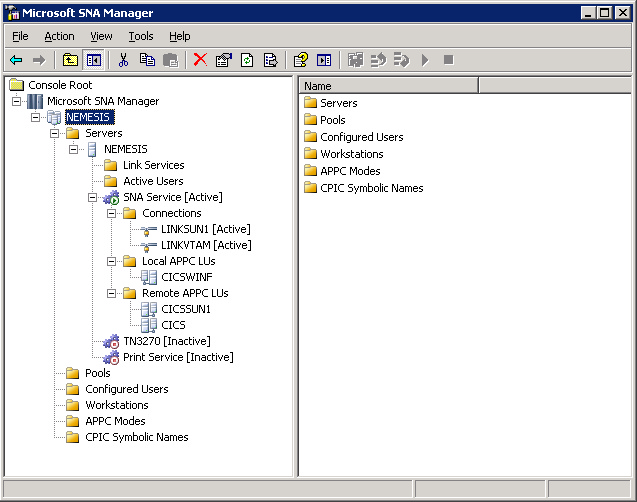
So, we finally obtained something like the following:
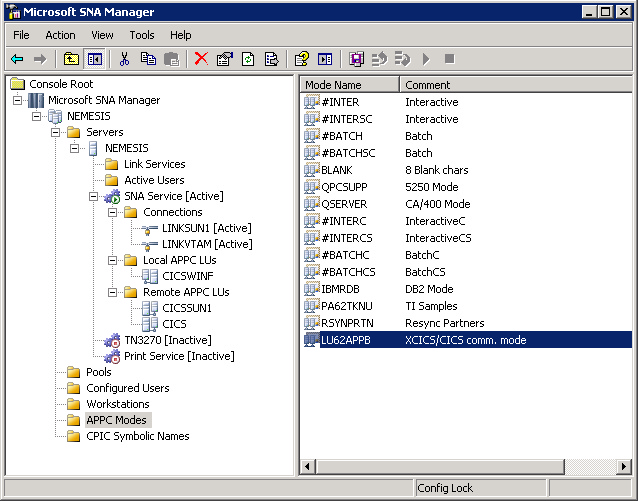
Additionally, a new APPC mode has been defined, to fit the one of our mainframe:
in xcics.conf: set application_name=CICSWINF; # (1) the same as local LU alias Mainframe side LU definition in the partner VTAM for UNIX system XCASNET VBUILD TYPE=SWNET CICS CEDA definitions: DEFINE CONNECTION(WINF) GROUP(XCICS001)
|