Execution reports


|
Execution reports |
|
|
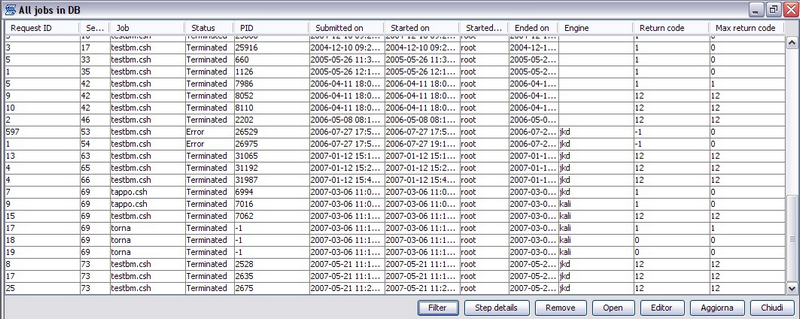
Both jobs and chains execution reports are stored in the XBM database. You may access this collection of data with the Job logs and Chain log windows. Job logs The Job logs window displays the summary of all the jobs executed by XBM. This information may be filtered and/or sorted to simplify the access to the information.
A most detailed report of the job execution, may be obtained using the "Step detail". It shows a report of the step return codes detected during the execution
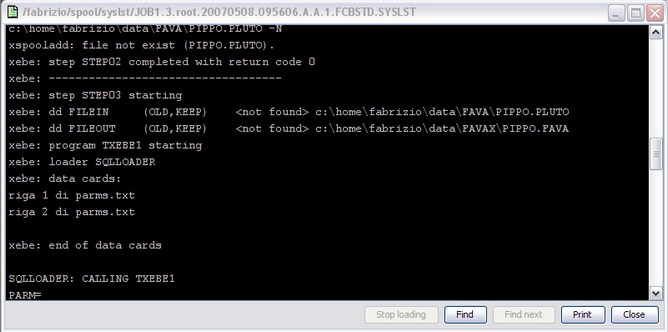
Otherwise, the job listing (SYSLST) may be shown.
Chain logs The Chain logs window displays the summary of all the chains executed by XBM. This information may be filtered and/or sorted to simplify the access to the information.
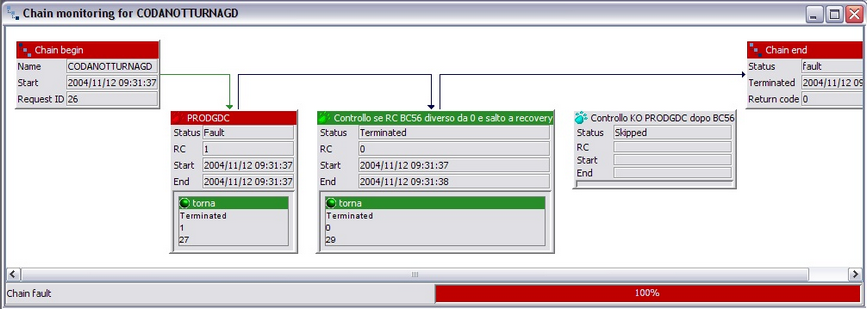
You may also get more details about the execution, displaying the chain log or the chain details. Chain details The chain detail window displays a graphical representation of the chain execution flow. It is show during chain execution, allowing a "live" chain flow monitoring, and from the chain logs windows, to analyze the flow of the chain when completed.
The colors used to display the chain items have this meaning:
|